Project management
Production Hub
One place for projects, stages, tasks and deadlines. You can see who is doing what, and what is holding the project up.
Request a demo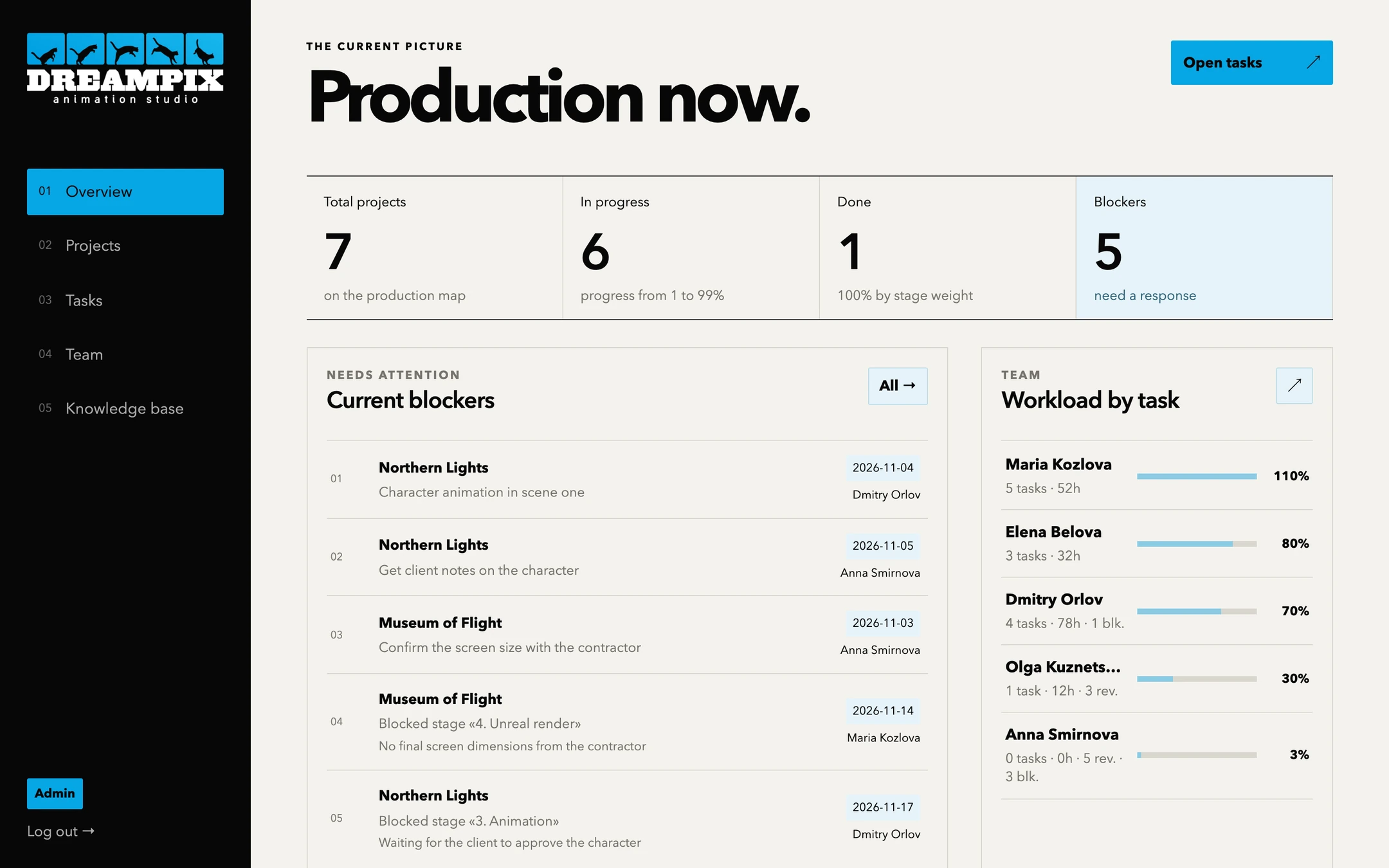
Tasks on a board
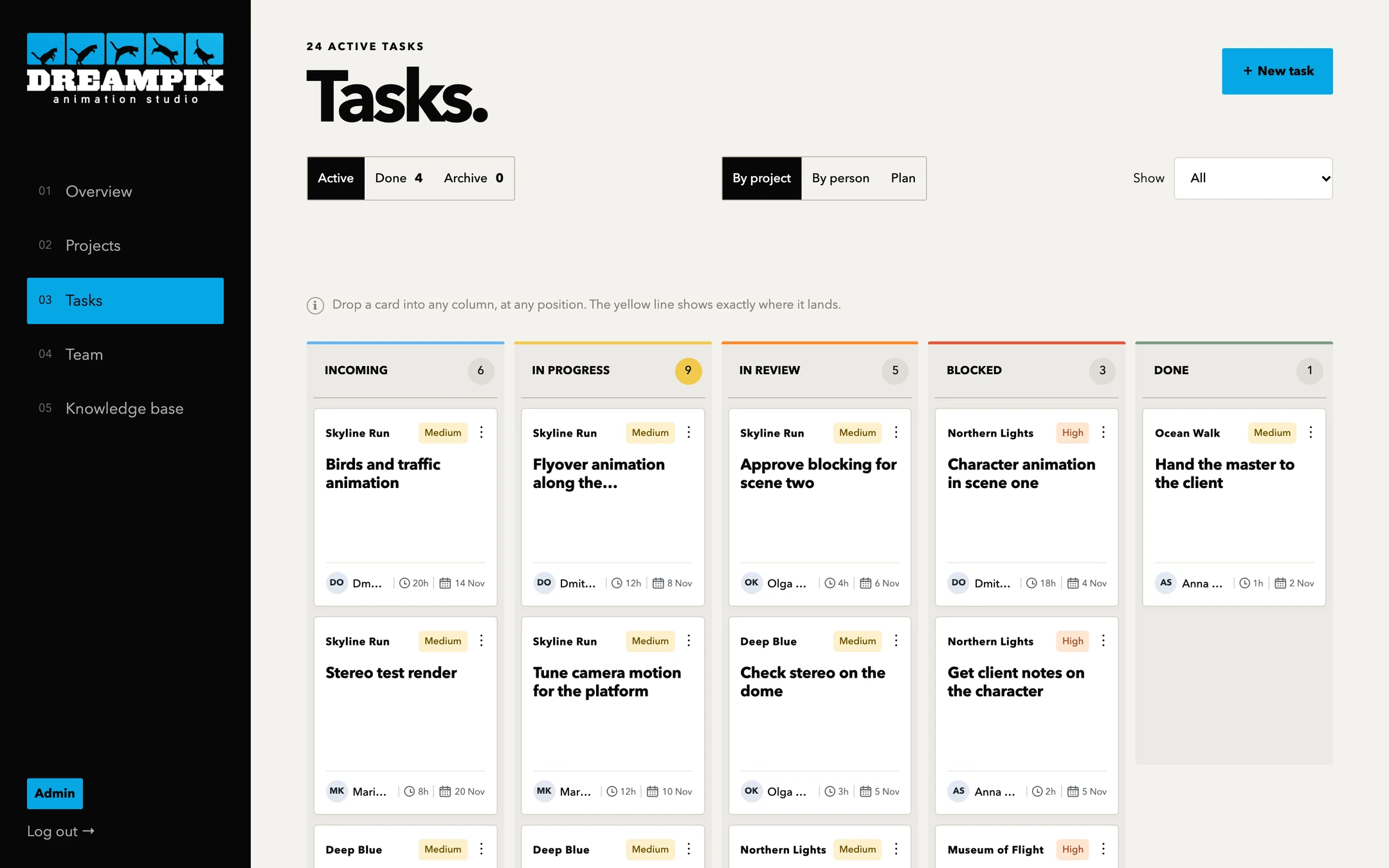
Incoming, in progress, in review, blocked, done. Drag cards around. Each shows the owner, hours and deadline.
Projects and stages
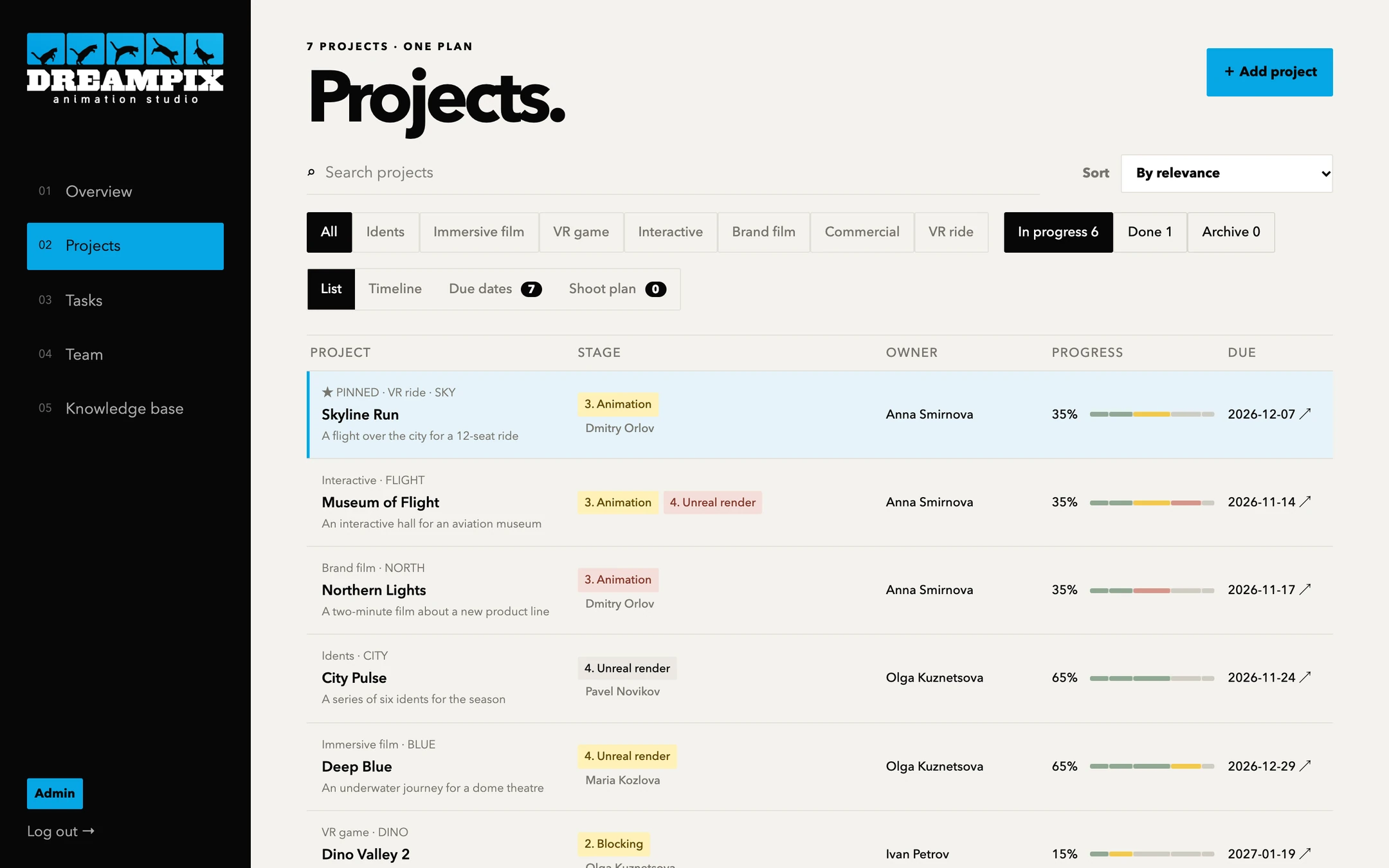
All projects in one list with the current stage, owner, progress and deadline.
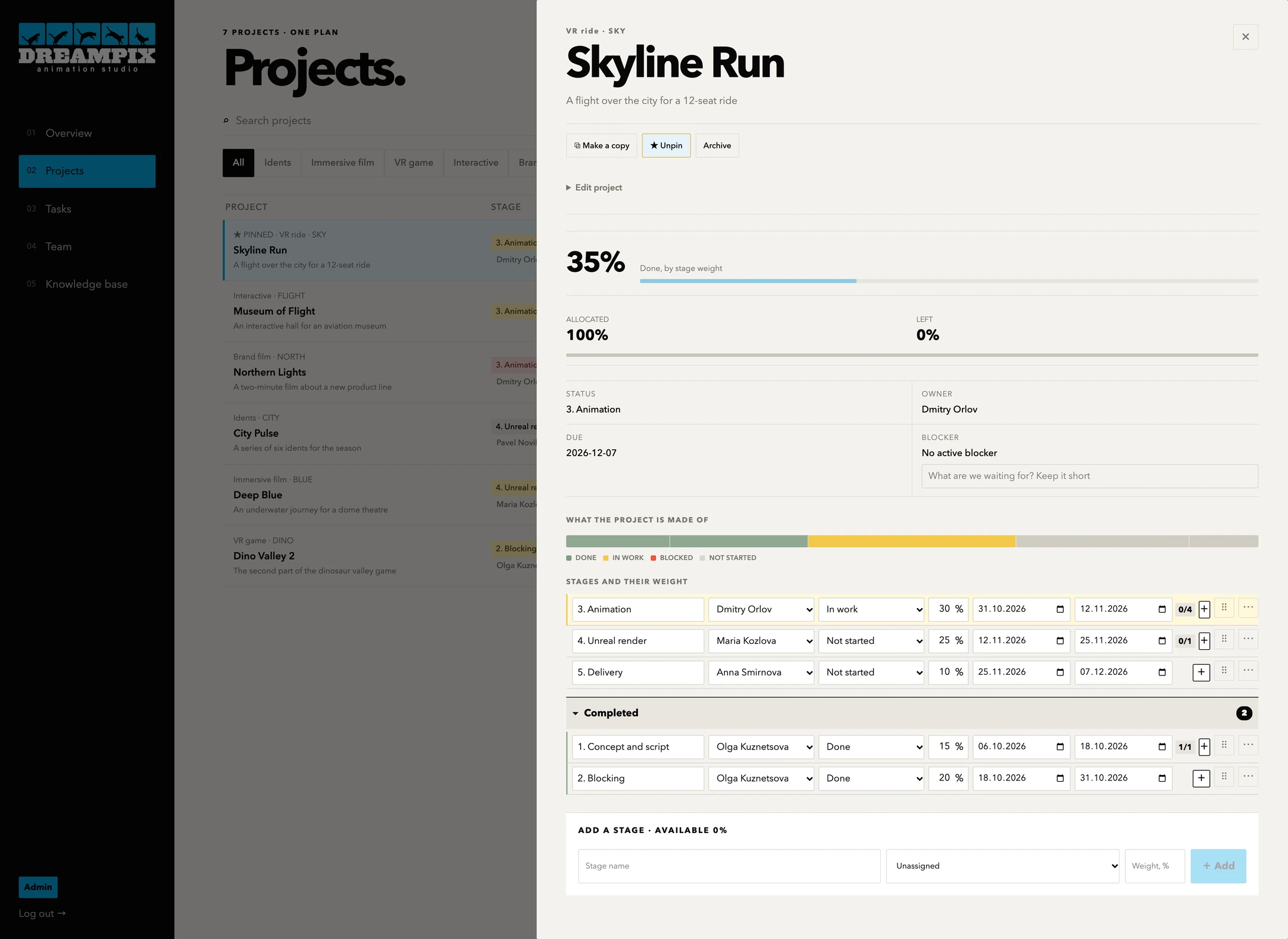
A project opens up into stages
Click a project and it opens: progress, deadline, blocker and every stage. Each stage has its own owner, status, weight and dates.
How a stage is set up
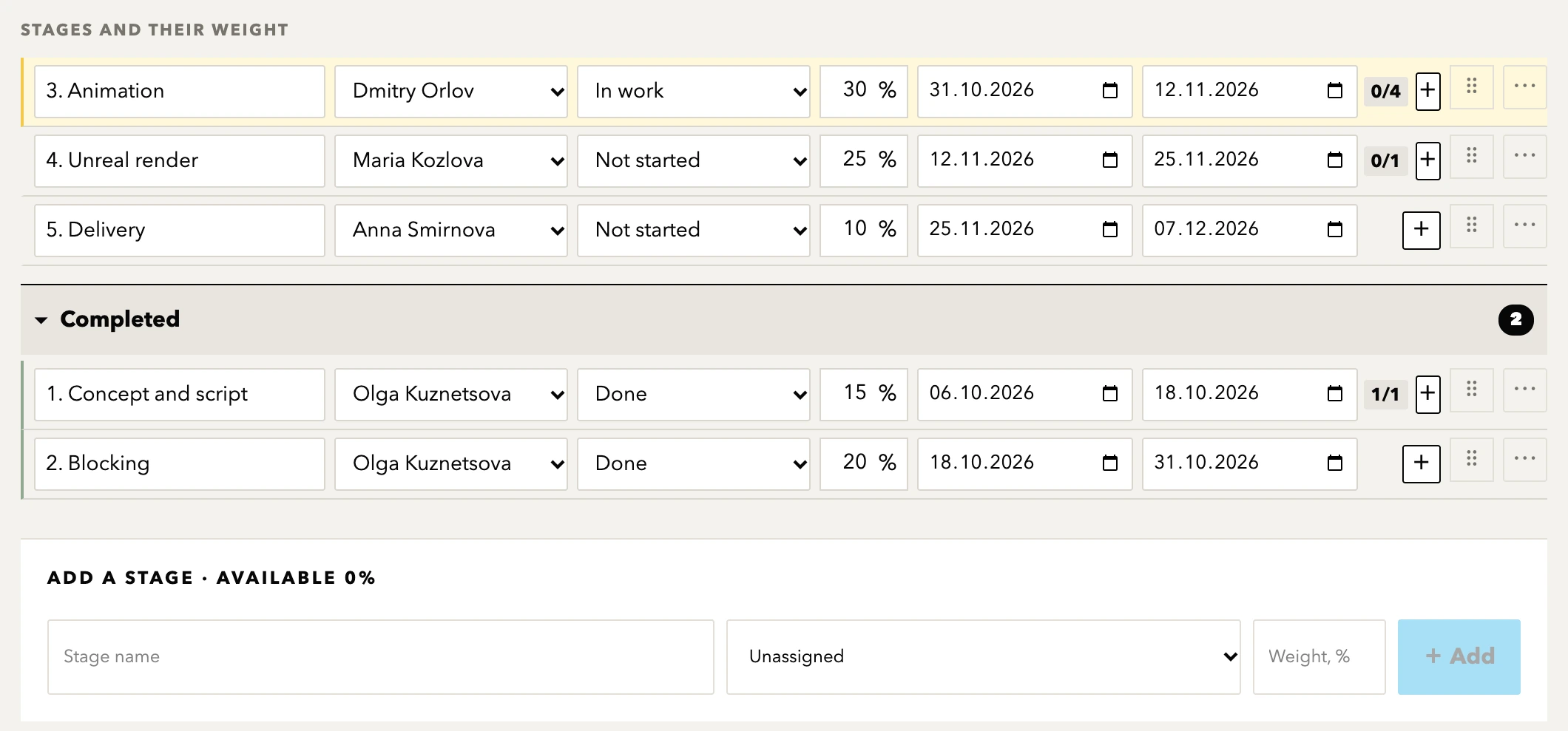
- OwnerChosen from the team right in the stage row
- StatusNot started, in progress, blocked, done
- Weight, %Stage weights add up to the progress of the whole project
- DatesStart and end of the stage
- TasksA counter of finished tasks and a + button to add a task to the stage
- OrderStages can be dragged, finished ones move to Completed
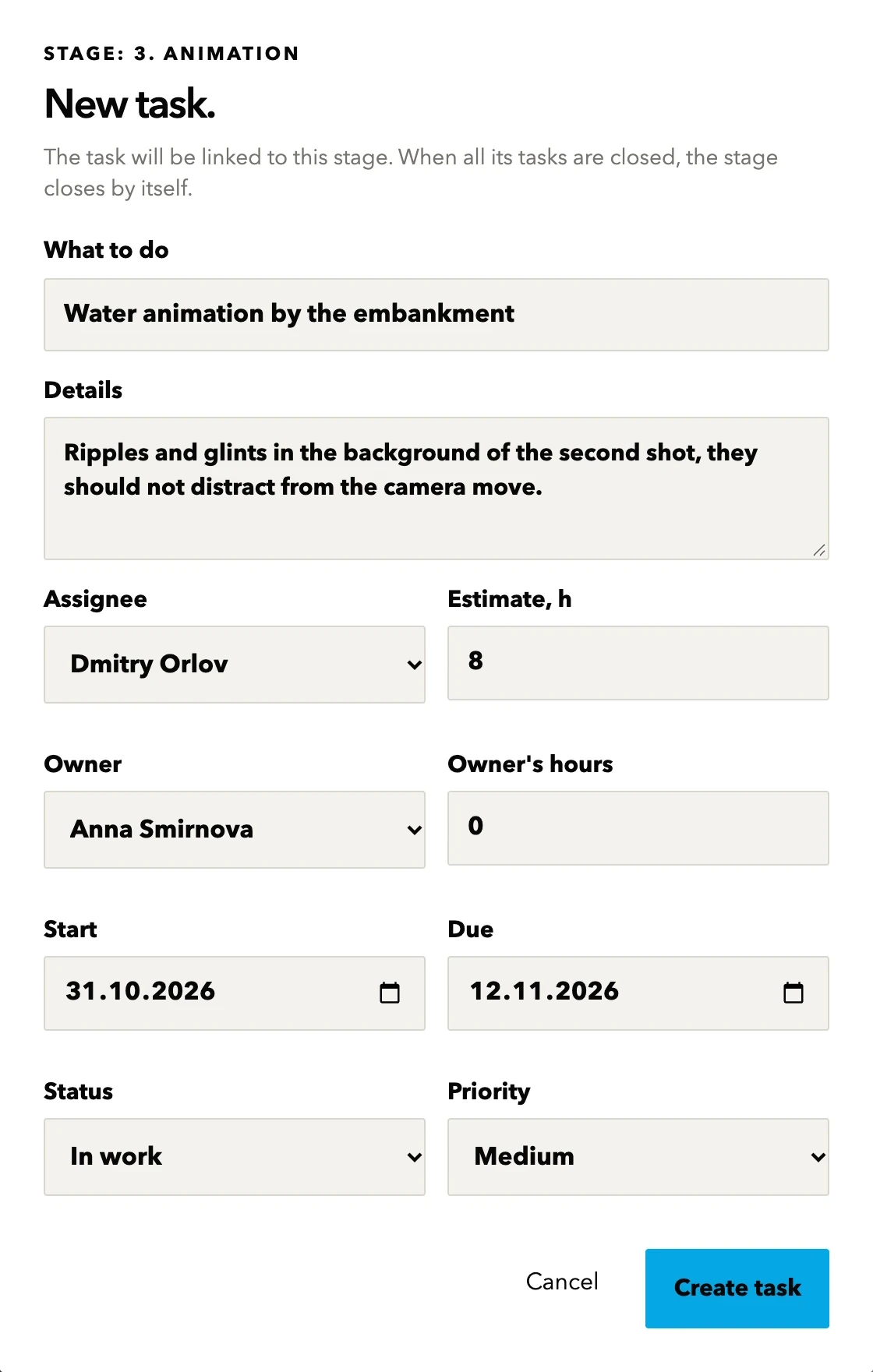
Break a stage into tasks
Click + in a stage row and a new task opens. The stage, assignee and dates are already there: just write what needs doing.
Tasks stay visible inside the stage
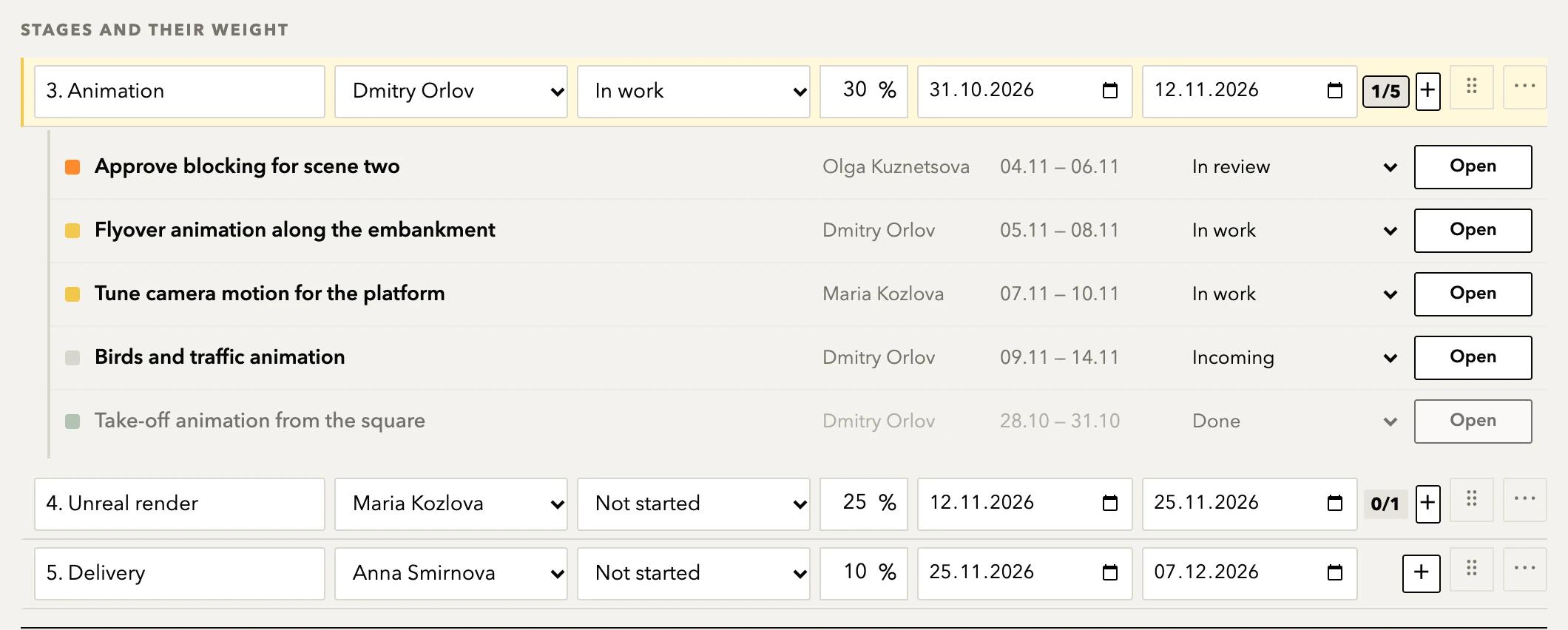
- The + buttonEvery stage row has one. You create a task without leaving the project
- Filled in for youAssignee, dates and status come from the stage, the owner from the project
- The 1/5 counterHow many of the stage's tasks are closed. Click it and the list opens
- Status in the rowChange a task's status right in the list, or open its card with the Open button
- The stage follows its tasksWhen the first task is in progress, so is the stage. When all are closed, the stage closes by itself
- Shared boardThe task appears on the task board at once, there is no second entry to make
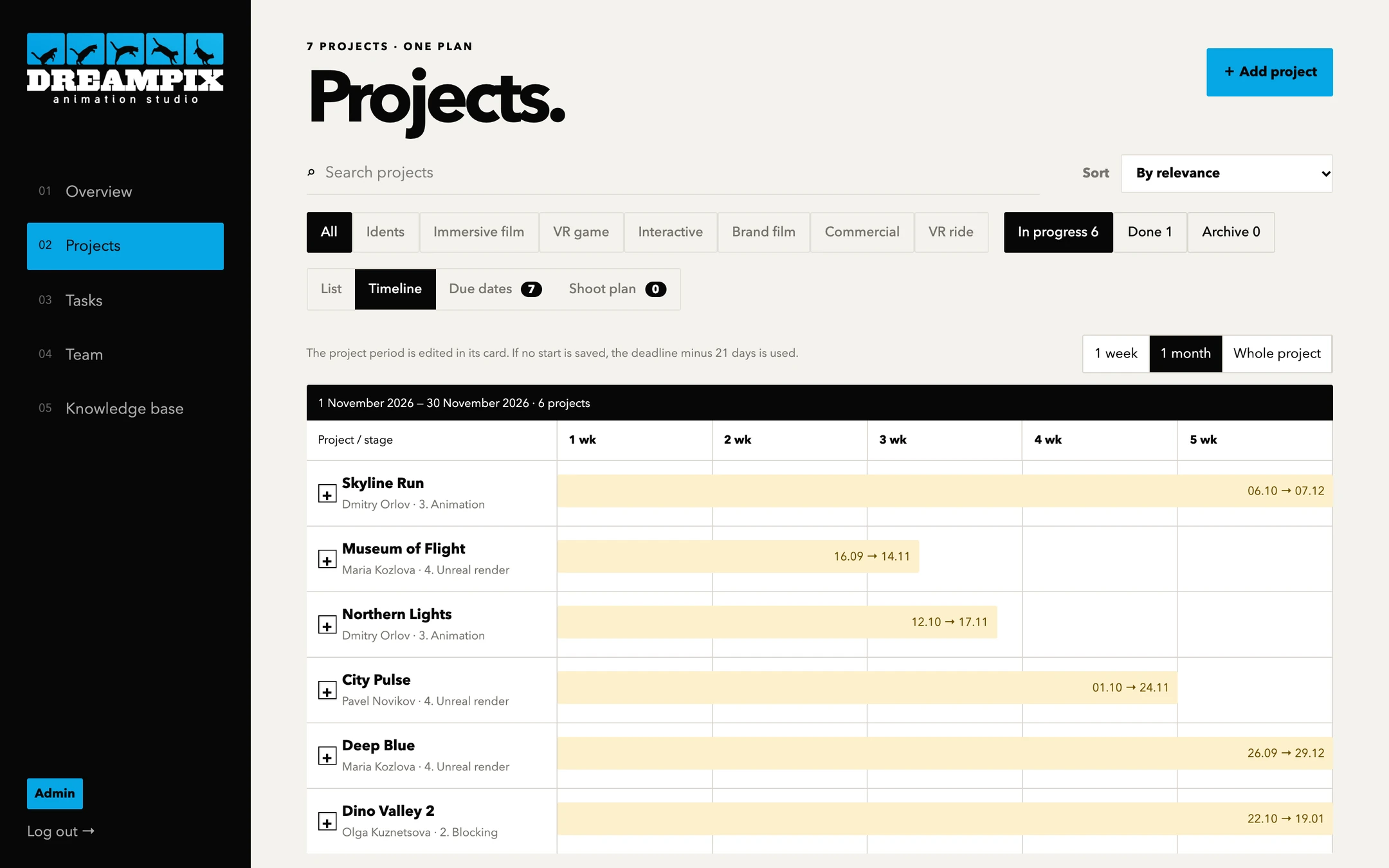
Timeline
See every project on one calendar: who has what, and which deadlines come first.
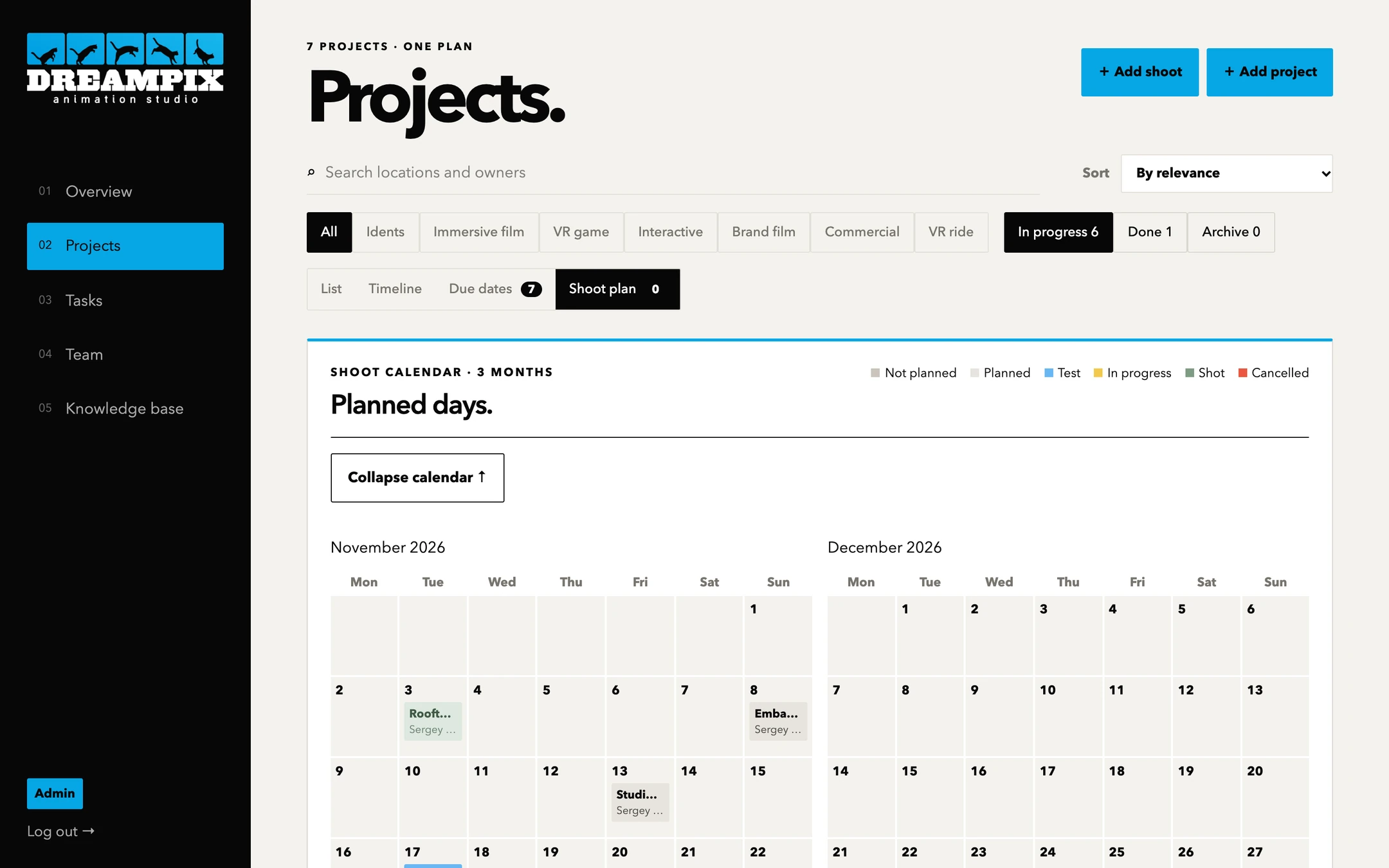
Shoot schedule
A shoot calendar for three months: locations, the person responsible and the status of each shoot.
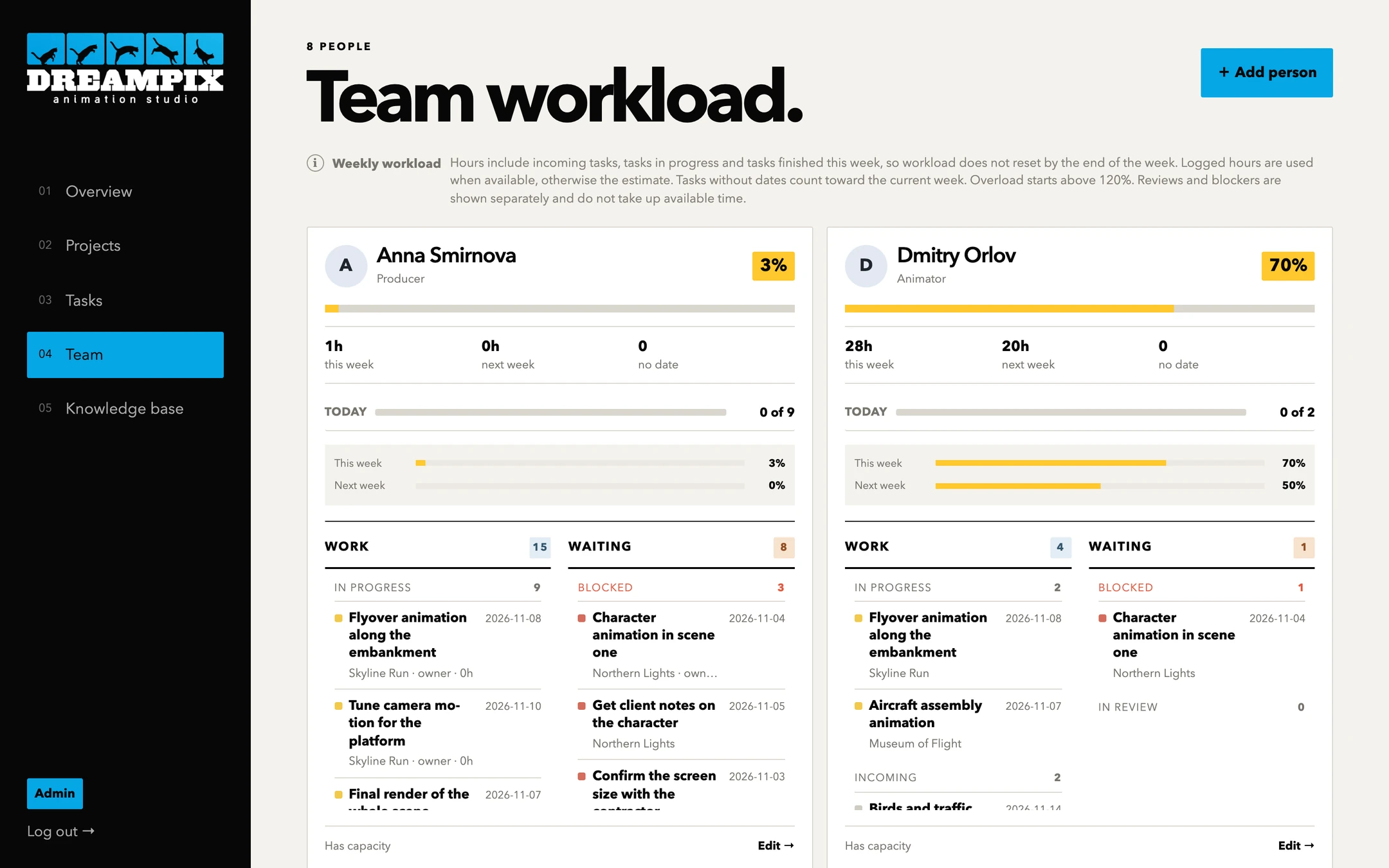
Team workload
Hours for this week and next, per person. Overload shows at once, and blockers are counted separately.
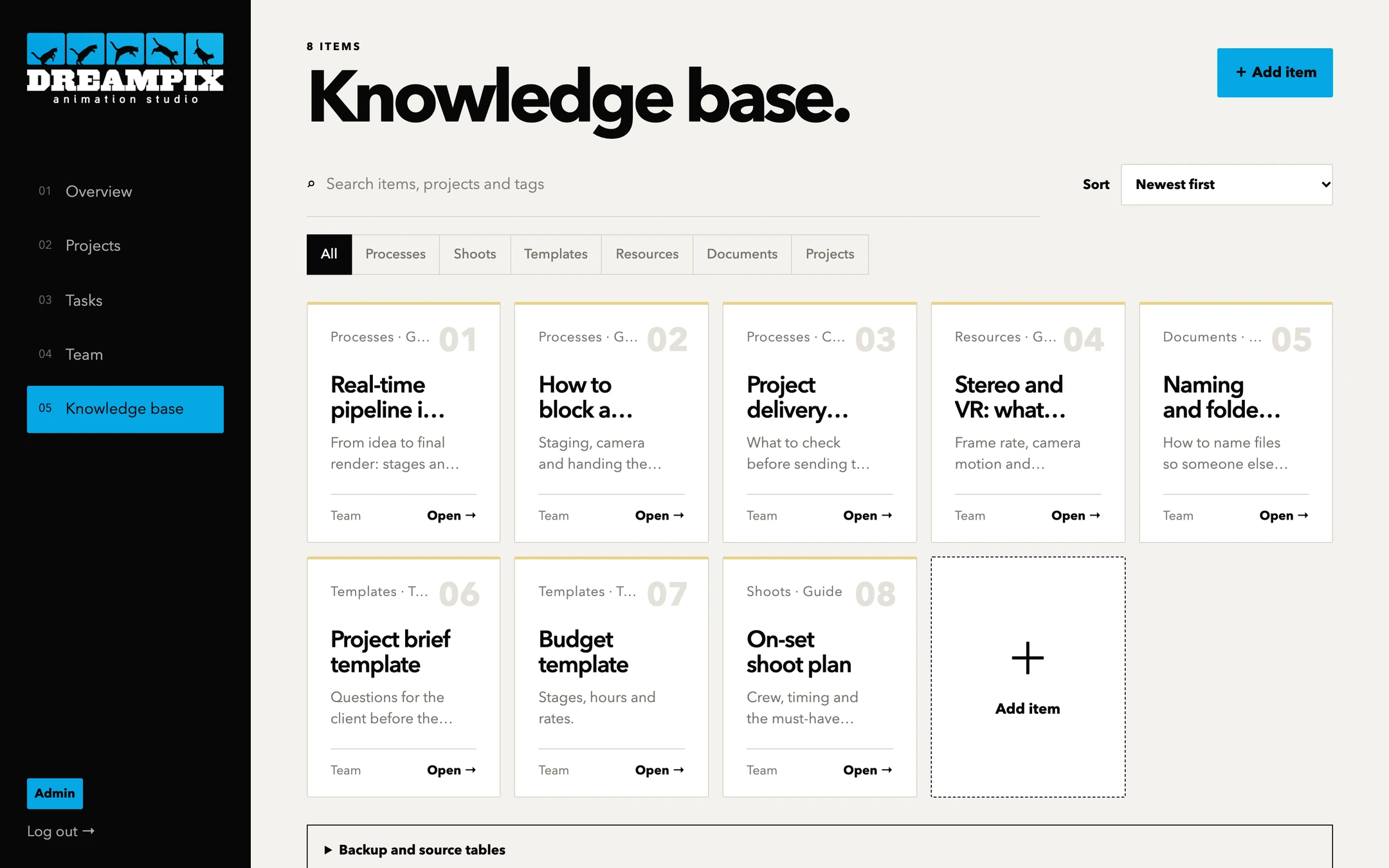
Knowledge base
Processes, shoots, templates, resources and documents. Everything the team needs stays in the system, not in one person's head.
Under your brand
The system runs as a separate copy for each studio: your logo, your colors, your own database. Clients get their own access.
Want to try it on your own project?
Tell us about your team. We’ll walk you through a demo and suggest what fits.
Request a demo